

Vynlox
Founder, Vynlox
Squarespace vs Webflow: What Australian Service Businesses Should Pick
Most service business owners ask the wrong question. They're sitting in a feature comparison matrix, ticking boxes: "Does it have an API? Can I add custom code? What about integrations?"
But that's not how you pick a website builder. You pick one because it's designed for your exact use case. And here's the honest truth: neither Squarespace nor Webflow is designed for serious Australian service businesses.
Free quote · No obligation
Want a website that actually converts?
We'll review your current site (or sketch out a new one) on a free 30 minute strategy call.
Book a Free Strategy CallBoth are fine for hobby sites, portfolios, and small creative projects. Both look modern in their templates. Both have drag-and-drop builders that feel smooth. But there's a gap between "looks professional" and "actually converts clients and runs without technical debt." That gap is where your revenue lives.
The problem with "simple" builders for service businesses

Let's start with what both Squarespace and Webflow do really well:
- Beautiful, pre-built templates that look like they cost $10,000
- Drag-and-drop editors so you don't need a developer (in theory)
- Built-in hosting, SSL, and CDN
- SEO basics baked in
- No server management or DevOps headaches
That's why they're popular. They lower the barrier to entry. You can launch a website in a day instead of three months.
But here's what they struggle with:
Conversion mechanics. Service businesses live and die on lead capture. Squarespace forms work. Webflow forms work. But both are generic form builders. They don't understand that your enquiry form needs a phone field with Australian formatting, a multi-step flow to qualify leads, anti-spam honeypots, or rate-limiting to protect against bots. You're building these on top of a foundation that wasn't designed for them.
Custom business logic. If your service needs a booking system that syncs with your calendar, pricing that changes by postcode, availability rules that block weekends and public holidays, or a client onboarding flow that emails PDF contracts, you're fighting the platform. You're gluing third-party apps together and hoping the integrations don't break.
Performance at scale. Both platforms serve templated sites beautifully. But if you're ranking for competitive keywords in Sydney or Melbourne, you need a site that loads in under 2 seconds on 3G and renders perfectly across 15 different device sizes. Squarespace and Webflow sites render fine. But they're heavier than they need to be, and you have limited control over bundle size, caching, and image optimization.
Brand consistency over time. Today you want a teal accent colour and DM Sans typography. Next year you'll rebrand. With Squarespace or Webflow, rebranding means re-templating your entire site, or hiring someone to hack CSS overrides on top of their page builder. With a custom build, you change your design tokens once and everything updates instantly.
SEO at the edge. Both platforms claim to be "SEO-friendly." They have title tags, meta descriptions, XML sitemaps. But here's what they don't have: fine-grained control over Open Graph tags for client case studies, automatic FAQ schema generation for your blog, the ability to lazy-load hero images, or a content delivery network that serves images at 50% the file size. Google doesn't rank sites on "SEO-friendly features." It ranks them on Core Web Vitals, time-to-first-byte, and whether they actually load fast.
Squarespace: the glossy compromise
Squarespace wins on design polish. Their templates look expensive. The editor feels smooth. And their support team is responsive.
But Squarespace is built for creatives (photographers, designers, illustrators) not service businesses. The feature set assumes you're selling portfolios or digital goods, not high-value services.
What you get:
- Gorgeous templates out of the box
- Integrated blogging (but clunky)
- E-commerce (better for products than services)
- Scheduling and booking (very basic; needs third-party apps to really work)
- Email campaigns (fine for newsletters, overkill if you're using an email provider)
What you don't get:
- Custom integrations without webhooks or API hacks
- Server-side rendering for search visibility
- Advanced form validation (field masking, conditional logic, spam detection)
- White-label options (if you're reselling to clients)
- Role-based access control for your team
Squarespace also locks you in. Your site lives on their servers. Your content is in their database. If you outgrow it in two years, you're exporting HTML and rebuilding elsewhere.
Webflow: the developer's compromise
Webflow is smarter. It's built by developers for developers (who want to avoid code). It gives you CSS-level control and a real API.
But that smartness comes with a learning curve. Webflow's visual builder is more powerful than Squarespace's, which means it's also more complex. You can do almost anything, but it takes twice as long as writing code.
What you get:
- Visual builder with CSS-level control
- Real API and webhooks
- Server-side rendering (better for SEO than Squarespace)
- Hosting on their global CDN
- CMS that works for blogs
- White-label options (on higher plans)
What you don't get:
- The speed of purpose-built code (Webflow sites are slower than custom builds)
- True ownership (same lock-in as Squarespace; your site lives on their servers)
- Advanced backend logic without Zapier or custom code
- Granular performance control (you can't optimize your bundle; they do)
- The ability to use your own server, database, or hosting
And there's a cost. Webflow scales in price as you add features. A basic site might cost $300/month. Add e-commerce, white-label, and advanced hosting. You're at $500 to $700/month. That's $6,000 to $8,400 per year. For a Sydney service business doing $100,000 in annual revenue, that's not a rounding error.
The real question: what are you actually trying to do?
If you're a solopreneur designer launching a portfolio on a shoestring budget, Squarespace wins. It's fast to deploy, looks polished, and costs $180/year.
If you're an agency that needs API-level control and custom integrations, Webflow wins. You get the builder's UI and developer tools.
But if you're a serious Australian service business, a Sydney SEO agency, a Melbourne marketing firm, a Brisbane accounting practice, a Perth law firm, you're neither of those things. You need:
- A site that ranks first for "SEO agency Sydney" or "accountants Brisbane"
- Forms that actually capture qualified leads (with validation, rate-limiting, and spam detection)
- A booking or enquiry flow that integrates with your CRM
- Performance that loads in under 1.5 seconds on Australian mobile networks
- Ownership: your data, your domain, your hosting
- The ability to rebrand, pivot, or change your offering without a rebuild
Neither Squarespace nor Webflow gives you all five. That's why smart service businesses choose custom Next.js builds or Webflow Pro with a serious development partner.
Webflow Pro: the better middle ground
If you're going with Webflow, skip the standard builder plans and go straight to Webflow Pro ($680/month minimum). It gives you:
- Hosting on Webflow's infrastructure (good enough for serious businesses)
- Full API access
- White-label options
- Priority support
- The ability to hire developers to extend the platform
But even Webflow Pro has limits. You're still in their ecosystem. Your database is their database. Your server is their server. You can't optimize your bundle size or control your caching strategy the way you can with a custom build.
Why custom Next.js wins for growth-focused businesses
Here's what we recommend to Sydney and Melbourne service businesses ready to invest in their digital presence:
A custom website built on Next.js with TypeScript, Supabase, and a Tailwind CSS design system.
The cost: $8,000 to $15,000 upfront. $300 to $800 per month for hosting and maintenance.
The payback: a site that loads in 800ms on 3G, ranks for competitive keywords, converts 3% to 8% of visitors into qualified leads, and you own outright. No platform lock-in. No monthly builder fees. No compromises.
What you get:
- Server-side rendering (every page pre-renders for maximum SEO)
- Image optimization (automatic WebP conversion, lazy-loading, srcset generation)
- API integrations with your CRM, email provider, and booking system
- Custom form validation and anti-spam logic
- Performance budgets (every page auto-checks that it stays fast)
- A site you own entirely (your code, your data, your server)
The tradeoff: you need a real developer to maintain it. Or a partner like Vynlox who specializes in custom website builds for Australian service businesses.

Verdict: the right tool for your business
| Situation | Pick |
|---|---|
| Portfolio, hobby site, creative freelancer | Squarespace. Fast to launch, looks polished, costs nothing. |
| Design agency, e-commerce, small team needing CMS | Webflow Standard. Good value, visual builder, enough control. |
| Scaling agency, developer-friendly team, high traffic | Webflow Pro + Webflow Partners. Add serious developers and you've got a powerhouse. |
| Service business doing $200k+ annual revenue, serious about growth | Custom Next.js site. Higher upfront cost, massive long-term payoff. |
Australian service businesses in the last category (that's probably you if you're reading this) should talk to a partner who specializes in custom builds for lead gen and organic search. We build sites that rank, convert, and scale. Not template sites that look polished and underperform.
The choice between Squarespace, Webflow, and a custom build matters more once your site is doing real lead-gen. We laid out the SEO economics for service businesses in our complete dental SEO guide and our SEO playbook for plumbers, and the same logic explains why we keep moving clients onto custom builds. The clearest example sits in our RyRo Loan Centre case study (visit them at ryroloancentre.com.au).

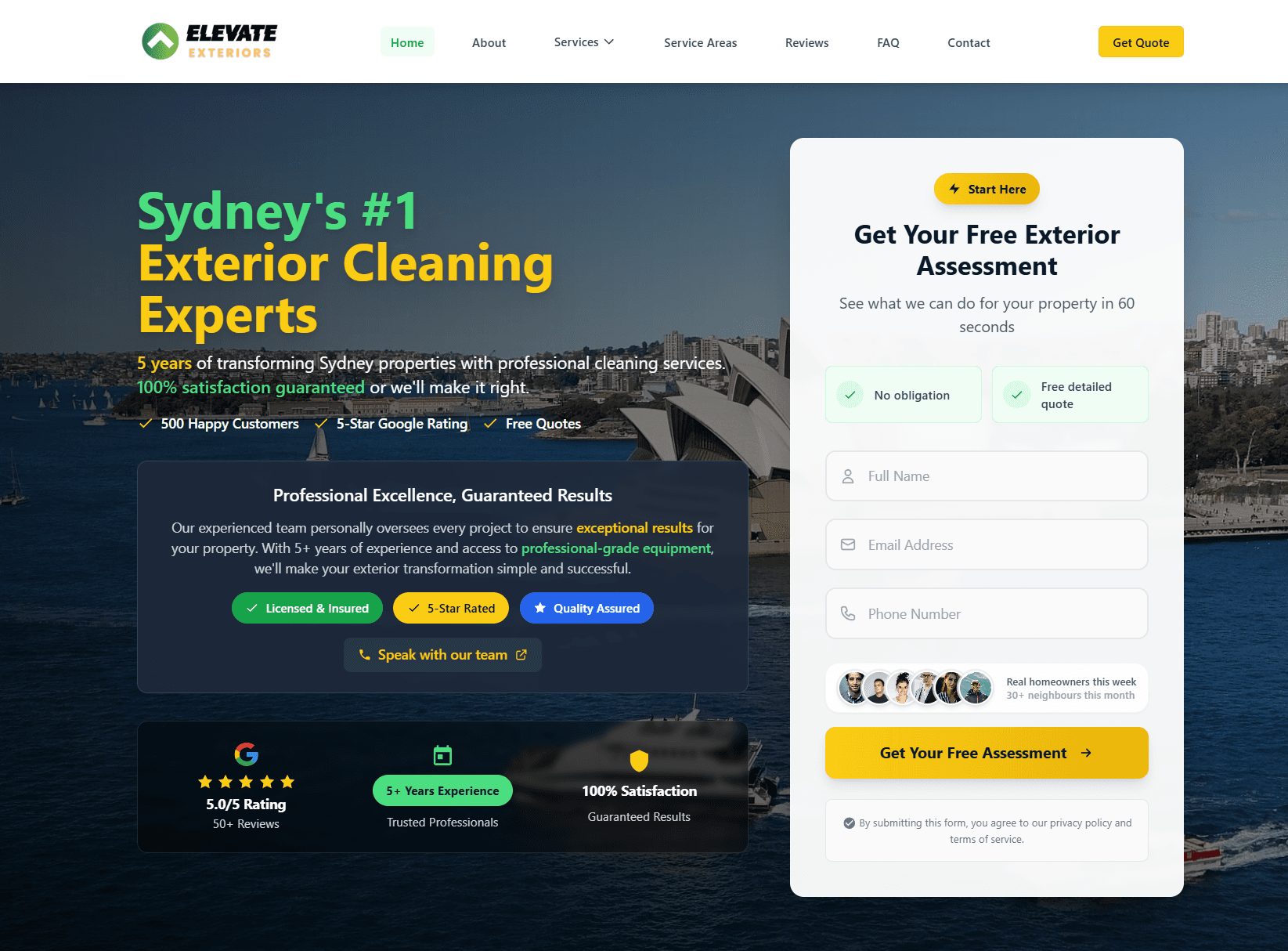
Real client. Real results.
Elevate ExteriorsExterior Services
Website rebuild + SEO foundations. After a 4 to 6 month build phase, now generating 15 to 20 qualified leads per month from organic search. No ad spend, lead quality consistently higher than paid traffic.
Quick answers
Frequently asked questions
Tagged with
Written by
Guru, Founder at Vynlox
Sydney based · 8+ years building websites · 100% client retention
I started Vynlox after watching too many good Australian businesses get burned by agencies that send reports, not results. Every strategy call you book is with me directly. You won't be handed off to a junior. You work with me.


